Your aircraft's hours, inspections, and squawks, in your pocket.
Log Hobbs and tach readings, see what is due on one inspection board, keep your ADs and squawks in order, and export a maintenance summary PDF for a pre-buy or your next annual.
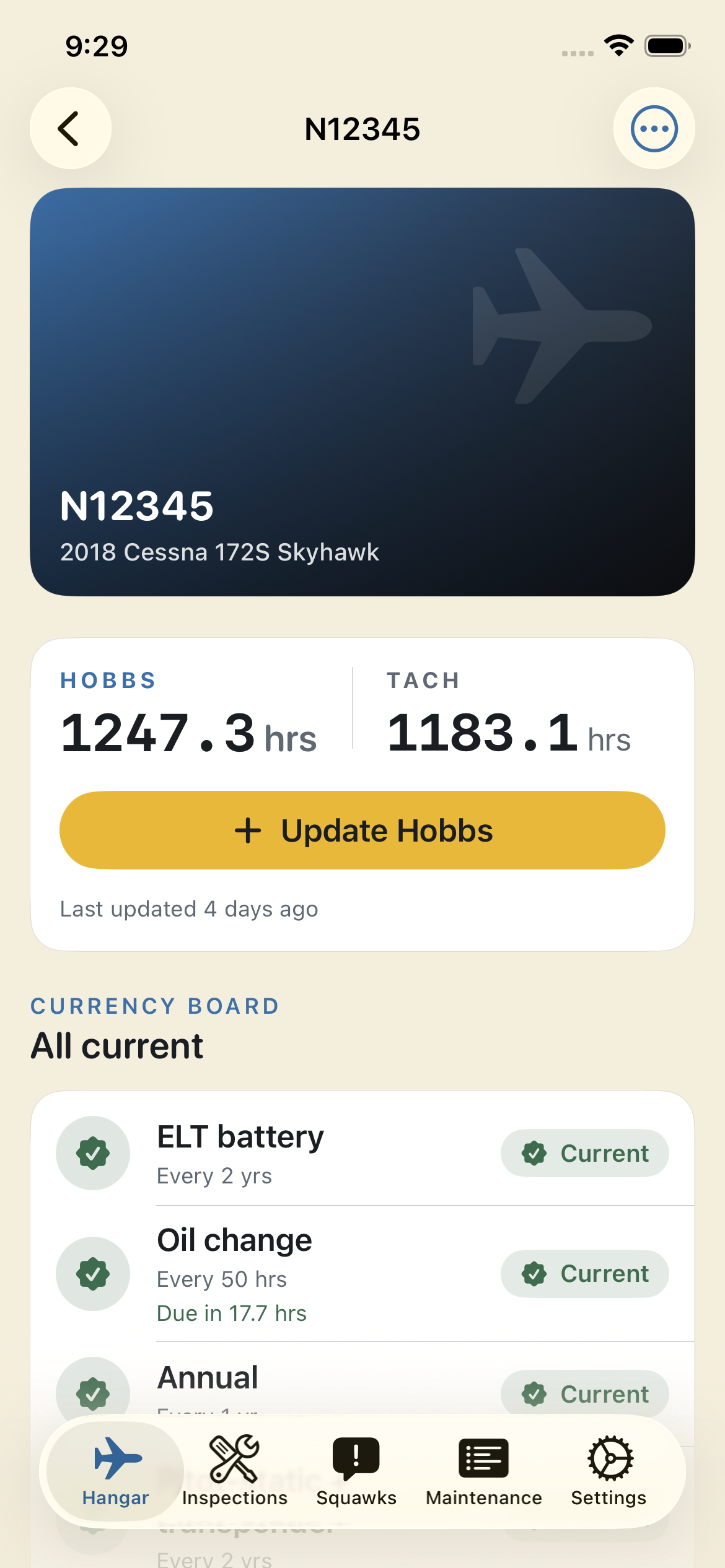
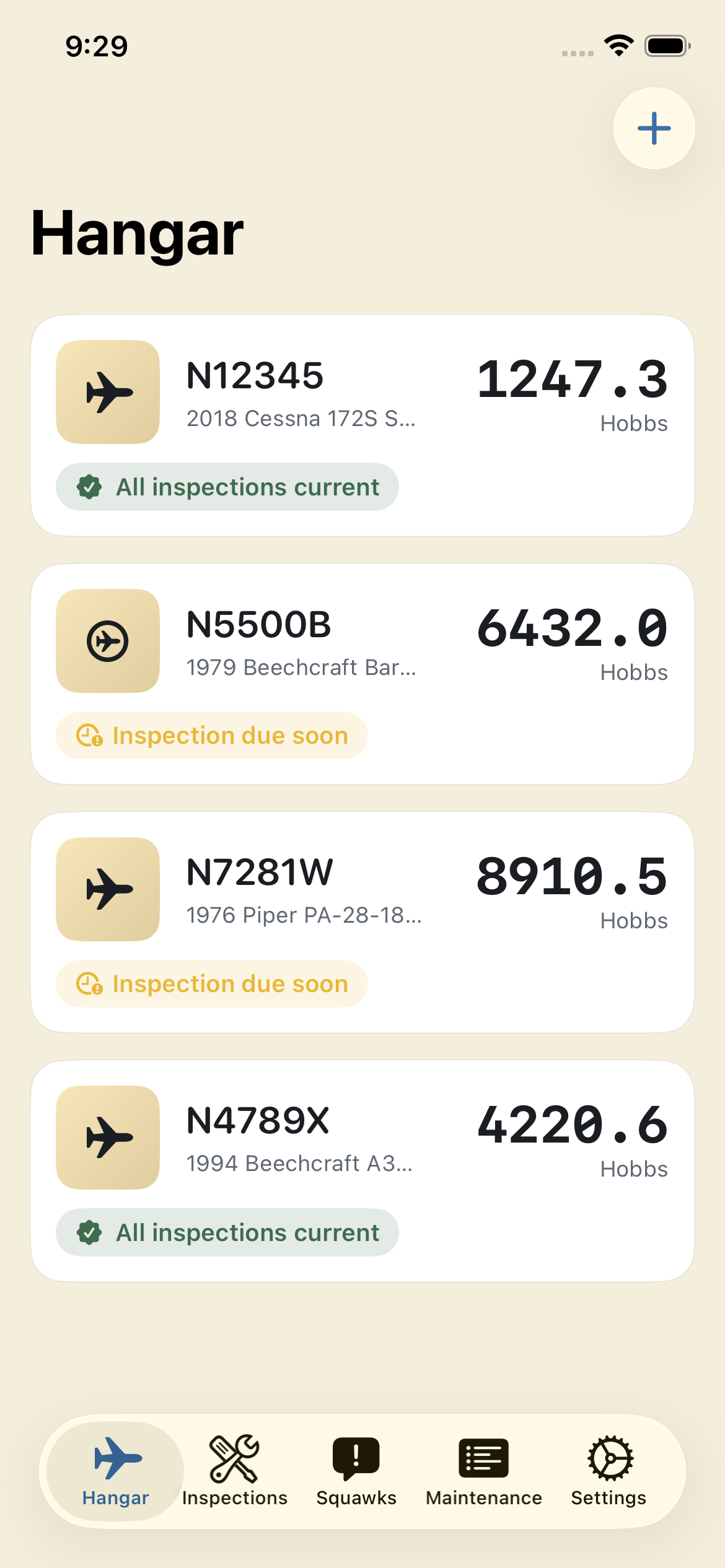
Your logbooks stay in the hangar. Cockpit keeps a companion record of hours, inspections, ADs, and squawks on your iPhone, so you can check what is due from anywhere.
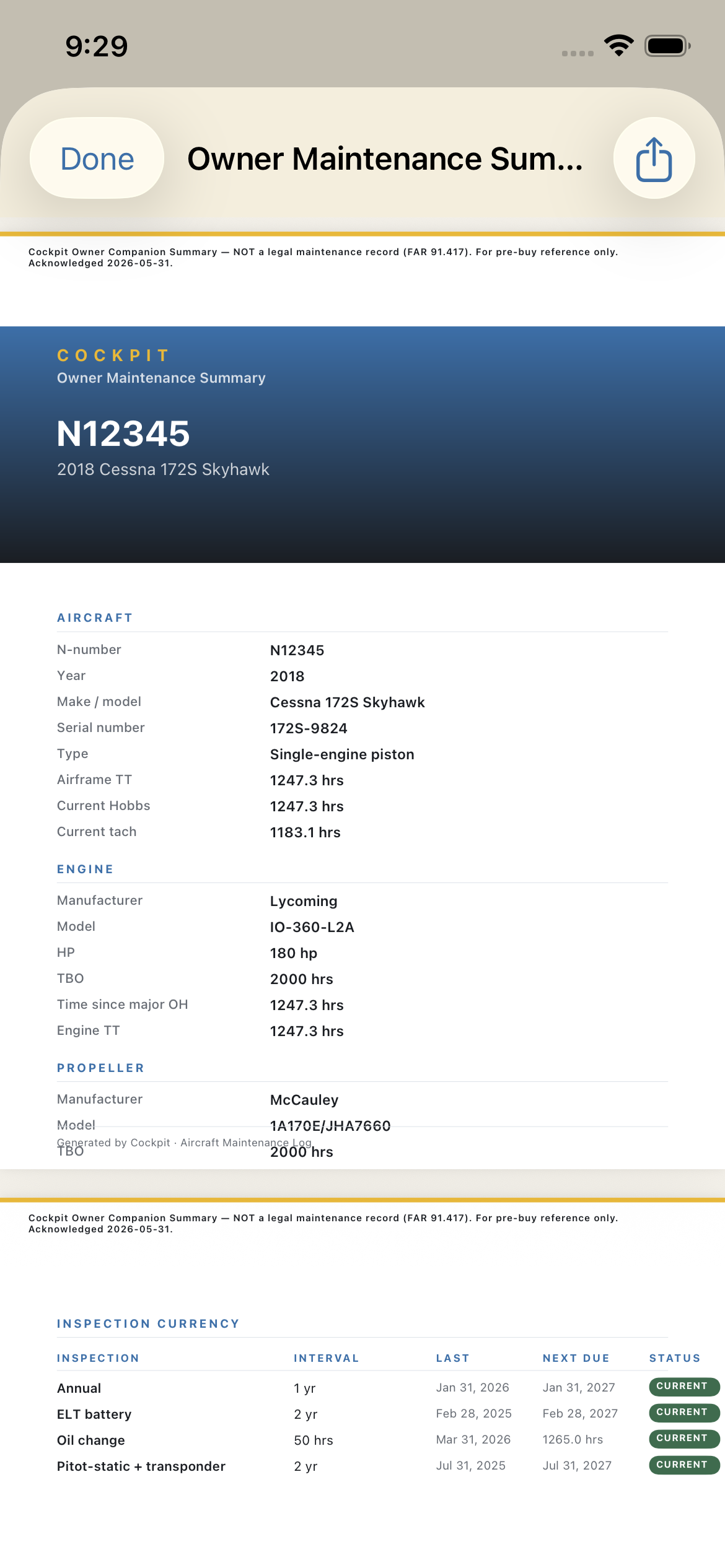
Organized records make a pre-buy easier. Cockpit builds a summary PDF with the aircraft, engine, and propeller details, inspection currency, ADs, squawks, and the service log.
Turn on notifications and Cockpit reminds you before a calendar-based inspection, like the annual, pitot-static, or ELT, or a recurring AD comes due, and before a document expires.
Built around the records owners already keep.
Four steps on the ground, and a clean PDF when you need one.
Add your aircraft
Pick what you fly and Cockpit suggests a starting inspection set for that type, such as the annual, pitot-static, ELT inspection, and oil change. Keep the ones that apply, then fill in the N-number, make, model, engine, and propeller when you are ready.
Log Hobbs and tach
Tap Update Hobbs on the aircraft screen to enter a new reading. Hours-based inspections recalculate against it, and the board shows what is due next.
Record service and squawks
Log a service record with the date, Hobbs, parts, cost, photos, and who did the work. Link it to the inspection, AD, or squawk it covers and Cockpit updates that item for you.
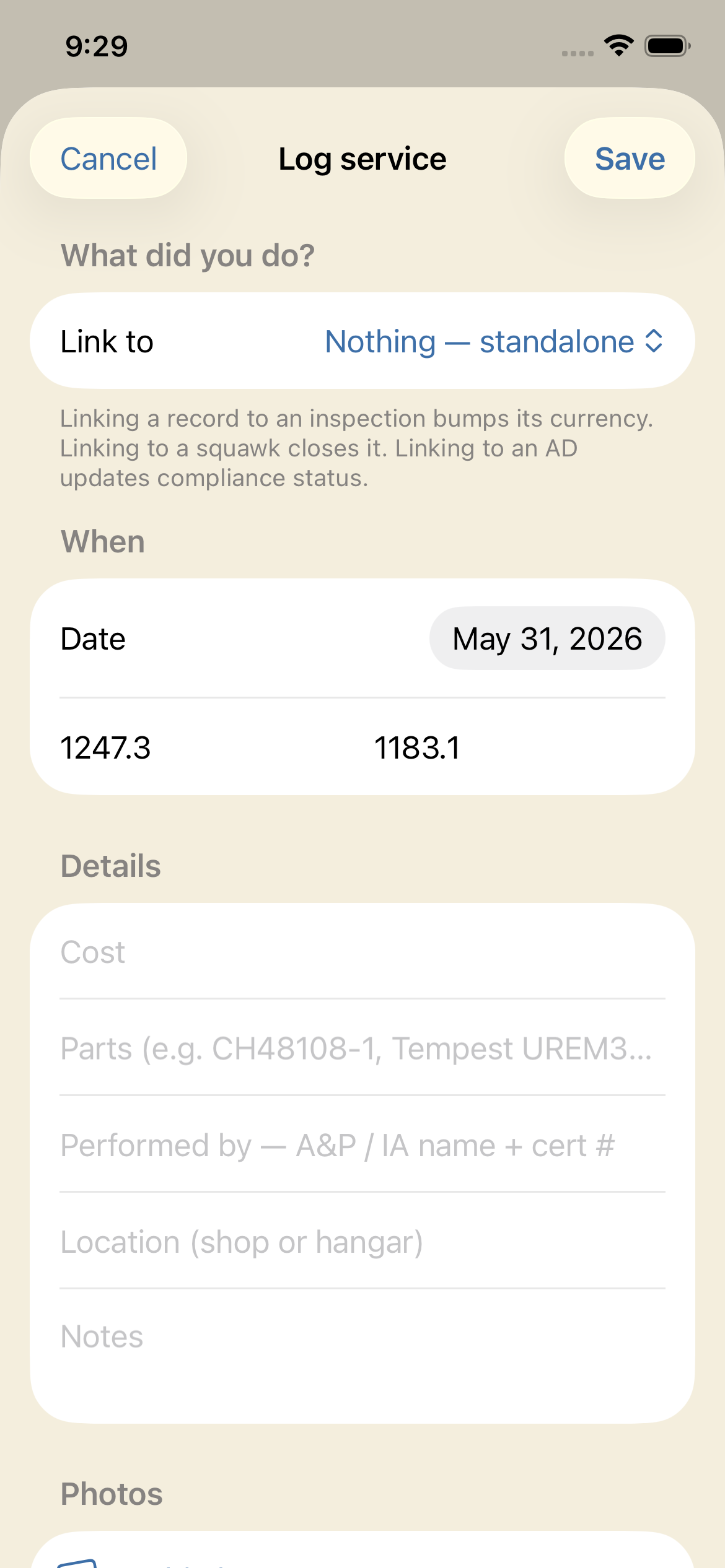
Export the summary PDF
Before a pre-buy or the annual, export an owner companion summary: aircraft details, inspection currency, AD compliance, squawks, and the service log. Every page is marked as a companion summary, not a legal record.
What an owner tracks,
in one place.
Hobbs and tach log
Record each reading with a date. Hours-based items like the 100-hour and oil change work out what is due from your latest Hobbs.
Inspection currency board
Annual, 100-hour, pitot-static and transponder, ELT inspection, VOR check, magneto, oil change, engine and propeller TBO, and your own custom items. Each one shows current, due soon, or overdue.
AD compliance tracking
Enter the Airworthiness Directives that apply to your aircraft by hand, with status, last-complied date and Hobbs, and recurring intervals. You and your A&P stay the source of truth.
Squawk list
Log each discrepancy with a severity from minor to grounding, attach photos, and close it out when you log the service that fixed it.
Maintenance summary PDF
Aircraft, engine, and propeller details, inspection currency, AD compliance, squawks, and the service log in one PDF to share with a buyer or your A&P.
Aircraft documents
Keep the POH, weight and balance, Form 337s, STCs, registration, airworthiness certificate, and insurance with the aircraft as photos or PDFs, with expiry dates where they apply.
Good records follow the airplane.
Buyers, mechanics, and insurers ask the same questions: when was the last annual, how much time is on the engine, which ADs apply, and what is still open. Cockpit keeps those answers organized between trips to the logbook.
Start on any day. Every reading, service record, and squawk you add becomes part of a history you can export when you sell, insure, or hand the airplane to a new shop.
- Puts the annual, pitot-static, and ELT inspection on one board
- Shows the expiry dates on your registration and insurance documents
- Holds your AD compliance notes where you can show your A&P or IA
- Keeps a service history with photos, parts, and costs
- Builds a pre-buy summary from records you already keep
One plan. Everything included.
Cockpit Pro unlocks the whole app. There is no free tier and no upsell inside it.
7-day free trial, then $49.99/year
- Unlimited aircraft
- Hobbs and tach log
- Inspection currency board with due-date reminders
- AD compliance tracking
- Squawk list with photos
- Service records linked to inspections, ADs, and squawks
- Aircraft documents with expiry dates
- Maintenance summary PDF
- Backup export and import
- Records stored on your iPhone, no account
Payment is charged to your Apple ID. The subscription renews automatically each year unless you cancel at least 24 hours before the current period ends, and a free trial converts to a paid subscription the same way. Cancel anytime in your Apple ID subscription settings.
US price shown. Apple sets the price in other countries and regions. See the Terms and purchase help.
Built for owners who keep good records.
The owner-pilot
You fly a 172, a Cherokee, a Bonanza, or a Cirrus. The annual, the pitot-static, and the ELT all live on different clocks. Cockpit keeps them on one board so nothing sneaks up on you.
The owner-builder
You fly an RV, a Lancair, or a Glasair and keep your own schedule. Track the standard items that apply and add custom inspections for everything else.
The pre-buy seller
Five years of clean records, and a buyer who wants proof. Export the owner companion summary and hand over the story of the airplane in one PDF.
The careful new owner
You just bought in and inherited a shoebox of receipts. Start the Hobbs log on day one and build the record you wish the last owner had kept.
Your maintenance records, on your terms.
No accounts. No ads. No selling your data. Read exactly what leaves your phone in the privacy policy.
Your records stay on your iPhone
Aircraft, hours, inspections, ADs, squawks, photos, and documents are stored on your device. There is no Cockpit account and no server copy of your maintenance records.
Works offline at the field
Nothing in the log depends on a connection. Update the Hobbs or close a squawk in a hangar with no signal.
No ads, no tracking
Cockpit shows no ads, has no advertising or usage-analytics SDKs, and does not track you across apps or websites.
Crash reports to fix bugs
Release builds send crash reports to Firebase Crashlytics so we can fix bugs. A report carries technical details such as the device model, iOS version, and where the app crashed, never your aircraft records.
An owner companion log
It is not a replacement for FAA-required maintenance records. Under FAR 91.417, your aircraft's official logbook, signed by an authorized A&P or IA, remains the legal record of airworthiness. Cockpit does not, and cannot, substitute for that record or for the judgment of your mechanic.
Export anytime
Export every aircraft and its full history, photos included, as one backup file you keep, and import it on another iPhone. Or share the summary PDF.
Why AD entry is manual: which Airworthiness Directives apply to an airplane depends on its serial numbers, installed equipment, and history. Cockpit does not guess. You and your A&P or IA decide what applies, and Cockpit keeps what you record organized.
Questions, answered.
Is Cockpit a legal logbook?
No. It is not a replacement for FAA-required maintenance records. Under FAR 91.417, your aircraft's official logbook, signed by an authorized A&P or IA, remains the legal record of airworthiness. Cockpit does not, and cannot, substitute for that record or for the judgment of your mechanic.
We help you stay ahead of due dates. Your A&P signs the books.
Why is AD tracking manual instead of automatic?
Whether an Airworthiness Directive applies to a specific airplane depends on its serial numbers, installed equipment, and history, and a wrong guess is worse than no list. You enter the ADs that apply, with their status, last compliance, and any recurring interval, so you and your A&P or IA stay the source of truth.
Does it track Hobbs and tach separately?
Yes. Each reading records Hobbs, plus tach if you track it, with a date. Hours-based inspections such as the 100-hour and oil change use the latest Hobbs to work out what is due next.
Which inspections does it know about?
Annual, 100-hour, pitot-static and transponder, ELT inspection, VOR check, magneto inspection, oil change, and engine and propeller TBO, each starting from a standard default interval. You can also add custom inspections.
What is in the maintenance summary PDF?
The aircraft, engine, and propeller details, the number of service records and total maintenance spend, the inspection currency table, AD compliance, squawks, and the service log. Every page is marked as an owner companion summary, not a legal maintenance record.
Does Cockpit sync between devices?
No. Cockpit 1.0 is an iPhone app that keeps your records on that iPhone and does not use iCloud. To move to a new phone, export a backup in Settings and import it on the new one. See backups and export.
How much does it cost?
Cockpit Pro is $49.99/year after a 7-day free trial. Cockpit Pro is required to use the app. Apple bills the subscription to your Apple ID, and you can cancel anytime in your Apple ID subscription settings.
US price shown. Apple sets the price in other countries and regions.
Do you store my data on your servers?
No. Your maintenance records stay on your iPhone. Two things can leave the device: crash reports sent to Firebase Crashlytics, and anything you choose to send through the feedback form. The privacy policy lists exactly what each one contains.
More answers, and a way to reach us, on the support page.
Your maintenance record
starts today.
Start with a 7-day free trial of Cockpit Pro. No account and no email signup. Your records stay on your iPhone.